Kart Racing Drifting Physics 1.1: multiplayer, racing AI and a race track tool
Kart Racing Drifting Physics 1.1 adds multiplayer, racing AI that drifts, a race track tool, a Race Game Mode and kart sounds to your UE5 game.

On this page
Kart Racing Drifting Physics 1.1 is out. Version 1.0 gave you a Kart that drifts. Version 1.1 adds what a kart racer needs around it: multiplayer, racing AI, a race track tool, a Race Game Mode, Kart sounds and skid marks. It is a free update for owners and needs Unreal Engine 5.7. The 1.1 trailer shows it all in action.
Multiplayer with client prediction
Multiplayer is server-authoritative with client prediction, built on Unreal’s Chaos Networked Physics. Your own Kart reacts to your input instantly, and the server has the final word. When the server corrects a Kart, the correction includes its drift and boost state, so drifting stays smooth under latency.
Other players’ Karts run the same simulation on your machine, so their front wheels steer and they lean just like yours. Bumps between Karts are predicted for both Karts.
The Kart needs no replication logic in your Blueprints. It switches to networked physics by itself in a networked game once Enable Physics Prediction is on, and single player behaves exactly as before. The multiplayer setup takes three steps, and the example project already has them done.
The AI, the race track and the Race Game Mode below all work online too, so you can build a UE5 multiplayer kart racer on top of them. The post what building kart multiplayer taught me explains why networked vehicle physics is hard.
Racing AI that drifts
Kart AI drives the same Kart as a player, with the same inputs. It hops into drifts and charges drift boosts like you do, takes shortcuts and alternative routes, and steers around other Karts and obstacles on the road. After a crash, a spin or a missed checkpoint, it finds its way back.
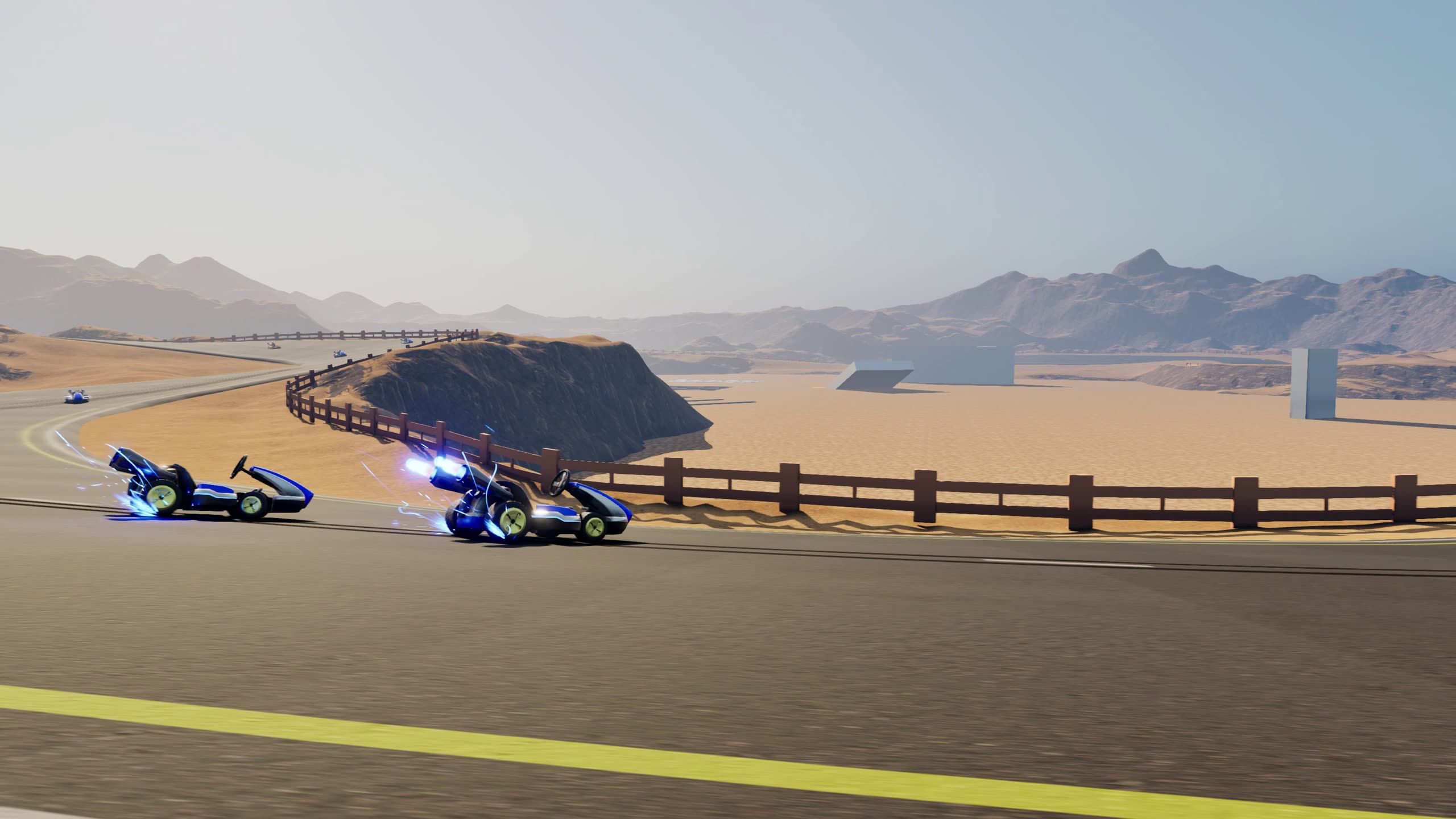
- Advantages / Cheating gives each AI driver more acceleration, turn rate, top speed, grip or drift control, for your difficulty levels.
- Optional Rubberbanding keeps the pack together.
- Build Track optimizes the racing lines for every route and saves them with the level, so races start without a pause.
- Put a Kart AI Target on a boost pad or an item box, and the AI drives through it when the way is clear.
- Override Choose Road At Junction in Blueprints for your own rules, for example a shortcut only with a certain item.
Setup and settings: AI opponents.
Race track tool
The race track tool builds a track from spline roads right in the level: start line, start grid, checkpoints, branches and shortcuts. Viewport tools connect, split, merge and reverse roads, with a right-click menu and on-screen hints. If your level already has a landscape road network, Copy From Landscape Splines turns it into a race track.
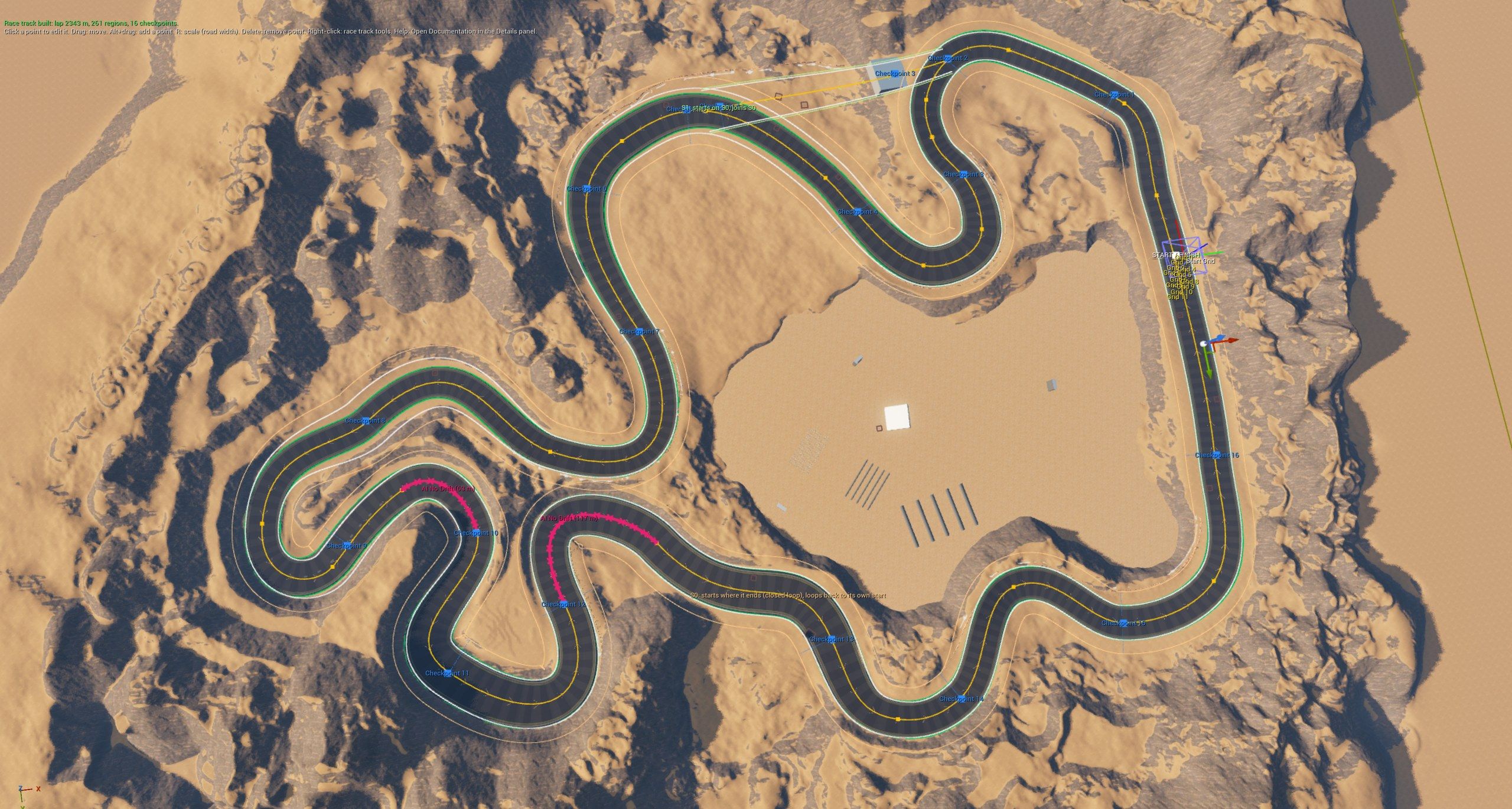
Build Track checks the track and tells you what to fix. During the race, the track keeps the progress of every Kart, players and AI alike: laps, positions, checkpoints, wrong way, off track and missed checkpoints, replicated to every player. Blueprint events such as OnKartLapCompleted and OnKartFinished let your HUD react, and RespawnKart puts a Kart back on the road at the right spot.
Setup: Race track.
Race Game Mode
The optional Kart Race Game Mode runs the race for you: grid spawning, countdown, finish order and results. It waits until every player has loaded before the countdown, also in multiplayer. Finished players watch the race while the AI drives their Kart to the end, and late joiners spectate.
Travel To Race, Restart Race and Return To Map are ready for your menus and lobbies. If you have your own GameMode, keep it: the race track works without this one. See Race Game Mode.
Sounds, skid marks and more
- Kart Audio is one component, driven by a MetaSound, for the engine, tires, drift, boost, jumps and hits. It has three engines to pick from (two-stroke, arcade and electric), and its tire sounds follow the surface. It reads everything from the Kart by itself, so it needs no Blueprint wiring and plays for other players’ Karts too. See Kart sounds.
- Kart Skid Marks draws marks behind the rear wheels while the Kart drifts, brakes hard or slides. They fade out over time, and the cost stays fixed however long you play. See Skid marks.
- Kart Intents give you mud, oil, knockbacks, spin-outs, stuns and respawns with one Blueprint node each, networked for you. The new
BP_OilPuddleandBP_BoostPadare ready to place in your level. See Boosts and items. - Offroad drag (Surface Properties) and wall hits (Wall Hit) are Kart settings in the Details panel, with no Blueprint logic. See Surfaces and walls.
- For bumps between Karts, choose Arcade Bump (the default), Physics or Ignore. See Kart collisions.
- With Smooth Visual State (on by default), wheels and lean stay smooth at 120 Hz, 144 Hz or uncapped framerates. See Visual smoothing.
The example project
The free example project for owners is now a complete race on the desert track: a menu to pick the AI count, laps and difficulty, a race HUD with positions and results, and a free roam mode. Start your own UE5 kart racer from it, or take it apart to see how the pieces fit: How the example project works.
Updating from 1.0
Version 1.1 needs Unreal Engine 5.7. For Unreal Engine 5.5 and 5.6, Fab keeps version 1.0, and the 1.0 example project for 5.6 stays downloadable from Getting started.
In an existing project:
- The physics tick is unchanged: keep Tick Physics Async on at 60 Hz.
- Wall slowdown and offroad drag are Kart settings now (Wall Hit, Surface Properties). If your own Kart Blueprint copied the 1.0 wall or offroad logic, remove it.
- A Wake All Rigid Bodies node on Tick is no longer needed.
- Event Async Physics Tick on a Kart Blueprint now fires once per physics step instead of twice. If yours does work there, check that it still behaves as you want.
BP_CameraShakeandBP_JumpCameraShakemoved toBlueprints/Cosmetics.- For multiplayer only, turn on Enable Physics Prediction and restart the editor.
Every change is in the changelog.
Get Kart Racing Drifting Physics 1.1
The plugin is on Fab, and the Getting started guide has you driving in a few minutes. Questions, bugs or ideas for the next update go to the Discord.
If you own the plugin and like it, please rate it on Fab. Ratings help other developers find it.


