Getting started
How the example project works: free roam, race menu and game modes
New in 1.1
On this page
The example project has one level, ExampleTrack, and two game modes: free roam and a race. The menu switches between them by loading the level again with the other game mode. Copy this setup or use it as a reference for your own menus. It needs Unreal Engine 5.7 or newer. For Unreal Engine 5.6, see Getting started. New in 1.1
The two game modes
| Game mode | Alias | What it does |
|---|---|---|
BP_FreeRoamGamemode | FreeRoam | Drive the track on your own. It spawns your Kart (BP_KartPawnChild_Example) and turns off the track’s Spawn AI in its Construction Script, so no AI Karts wait on the grid. No race and no race HUD. |
BP_KartGameMode | Race | The Race Game Mode: start grid, countdown, laps, AI opponents and results. Its HUD, BP_KartRaceHUD, shows WBP_RaceUI. |
ExampleTrack starts in free roam: World Settings > GameMode Override is BP_FreeRoamGamemode.
The aliases are set in Project Settings > Maps & Modes > Default Modes > Game Mode Class Aliases (open the advanced settings of Default Modes). An alias gives a game mode a short name, so a level can be loaded with it: ?game=Race.
The menus
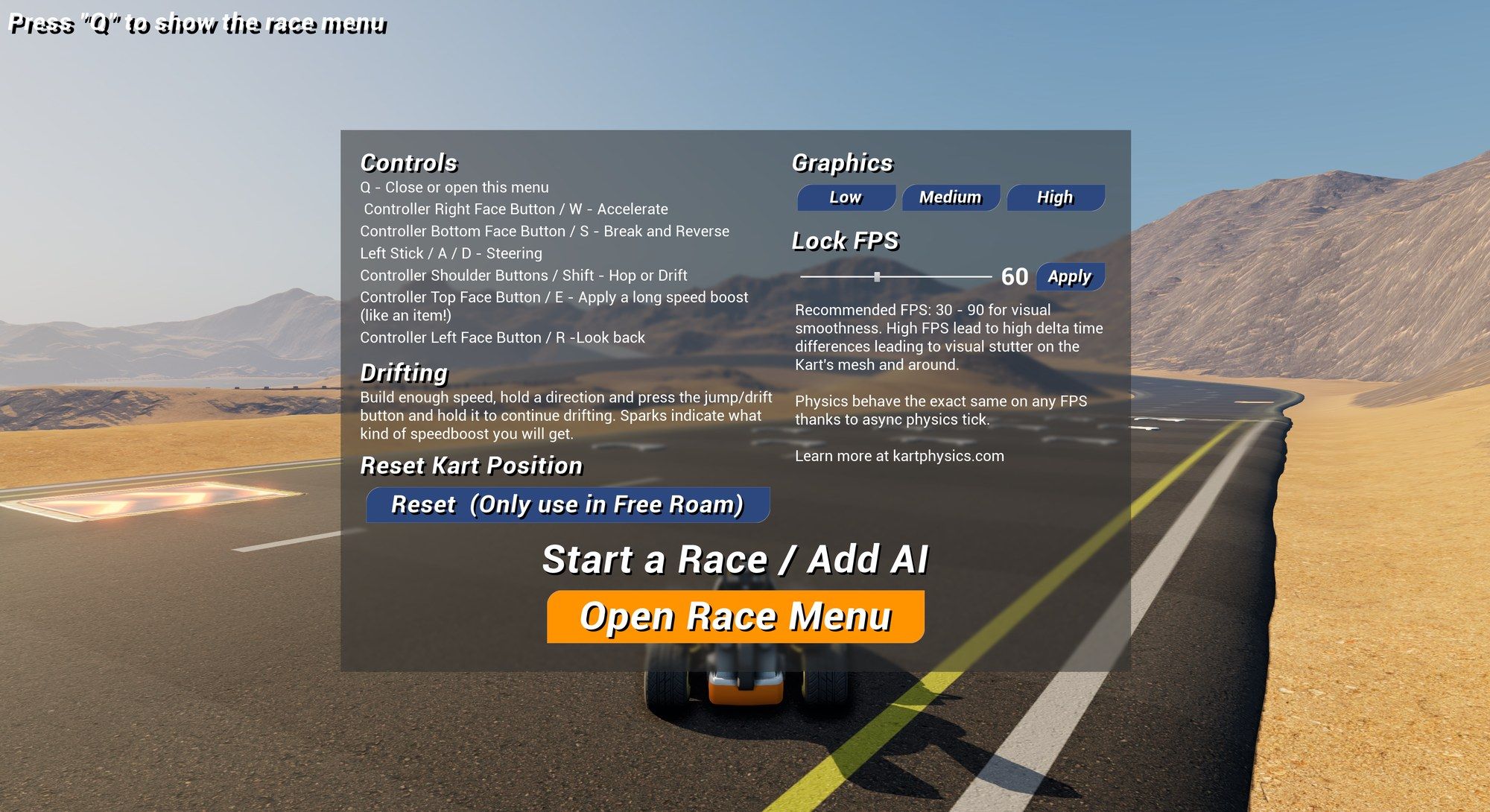
- The hint at the top left, “Press Q to show the race menu”, is
BP_StaticInfoWidget. - Q opens and closes
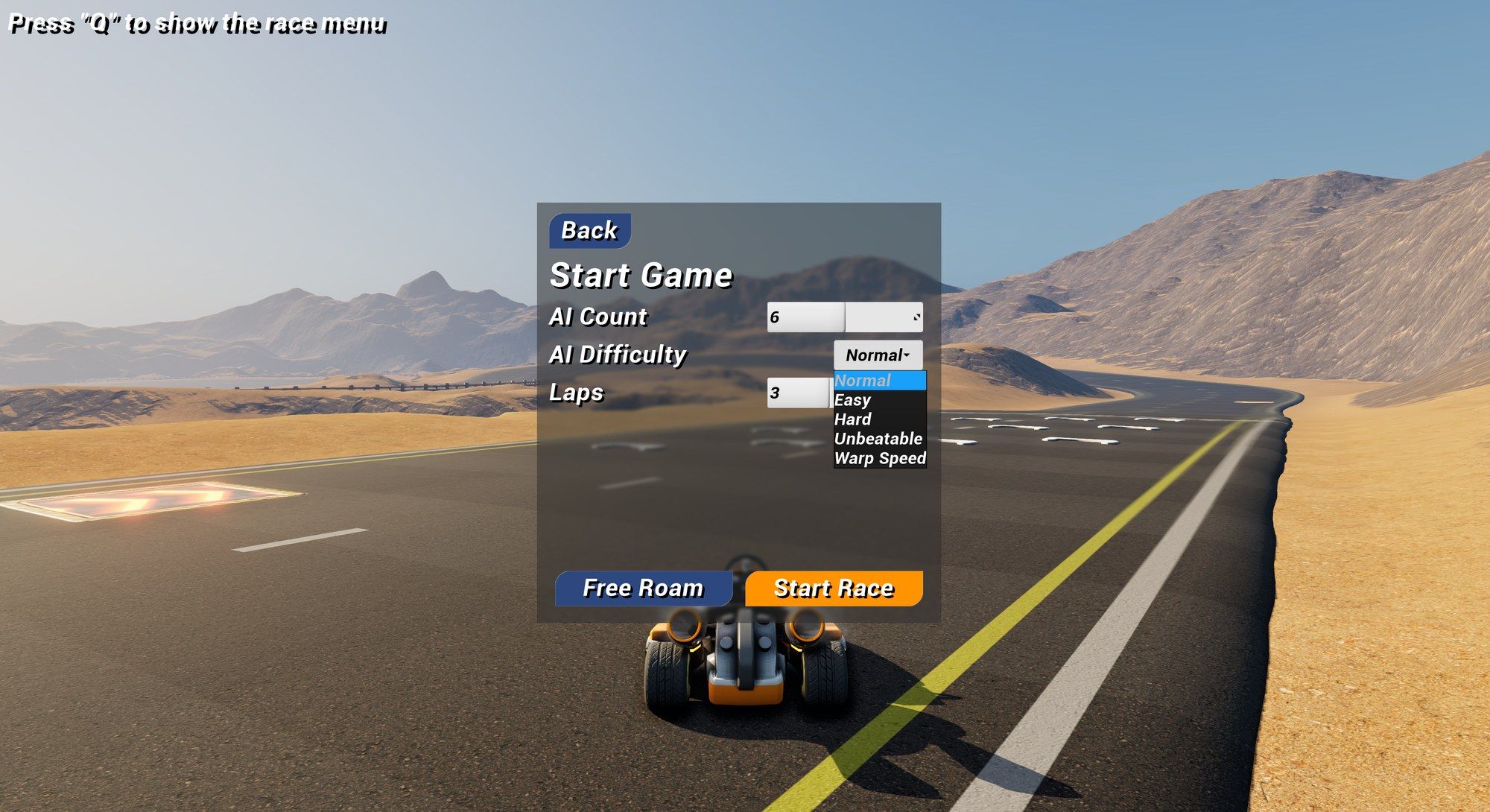
BP_ExampleTestMenu. The level Blueprint ofExampleTrackdoes this. The menu lists the controls and has Graphics (Low, Medium, High), Lock FPS, Reset Kart Position (free roam only) and Open Race Menu. - Open Race Menu shows
WBP_RaceMenu: AI Count, AI Difficulty (Easy, Normal, Hard, Unbeatable, Warp Speed) and Laps, then Start Race or Free Roam.
How the menu starts a race
Start Race runs one console command (Execute Console Command):
ServerTravel ExampleTrack?game=Race?AI=4?Laps=3?Difficulty=1The level name is the current level’s, the numbers come from the menu. Free Roam runs ServerTravel ExampleTrack?game=FreeRoam.
ServerTravelloads the level again, for every connected player.game=RacepicksBP_KartGameModethrough its alias.AI,LapsandDifficultyare travel options. In Event BeginPlay,BP_KartGameModereads them from Options String with Has Option and Get Int Option. It sets the track’s AIKart Count and Laps, its own Difficulty, and Started Via Race Menu to true.- When the countdown starts (On Race Phase Changed), it sets Advantages, Enable Drifting and Corner Acceleration on every AI driver of the track (Spawned AIControllers) to match the difficulty. Unbeatable and Warp Speed turn drifting off.
Without the menu there are no options, for example when you set BP_KartGameMode as GameMode Override in the World Settings and press Play. Started Via Race Menu then stays false, and the track’s own AIKart Count, Laps and AI settings apply.
Use it in your game
- Your own menu: call
ServerTravel YourLevel?game=YourAliaswith your own options, and read them in your game mode’s Event BeginPlay with Has Option and Get Int Option, likeBP_KartGameMode. - A lobby with several players: Travel To Race on Kart Race Game Mode sends every player to the race map. See Menus and restarting.
Next steps
- Race Game Mode: the race rules, the HUD events and the results.
- AI opponents: spawning, difficulty and drifting.
- Race track: the road, checkpoints and the start grid.
Not using the plugin yet? Get it on Fab.