Visuals
Skid marks
New in 1.1
On this page
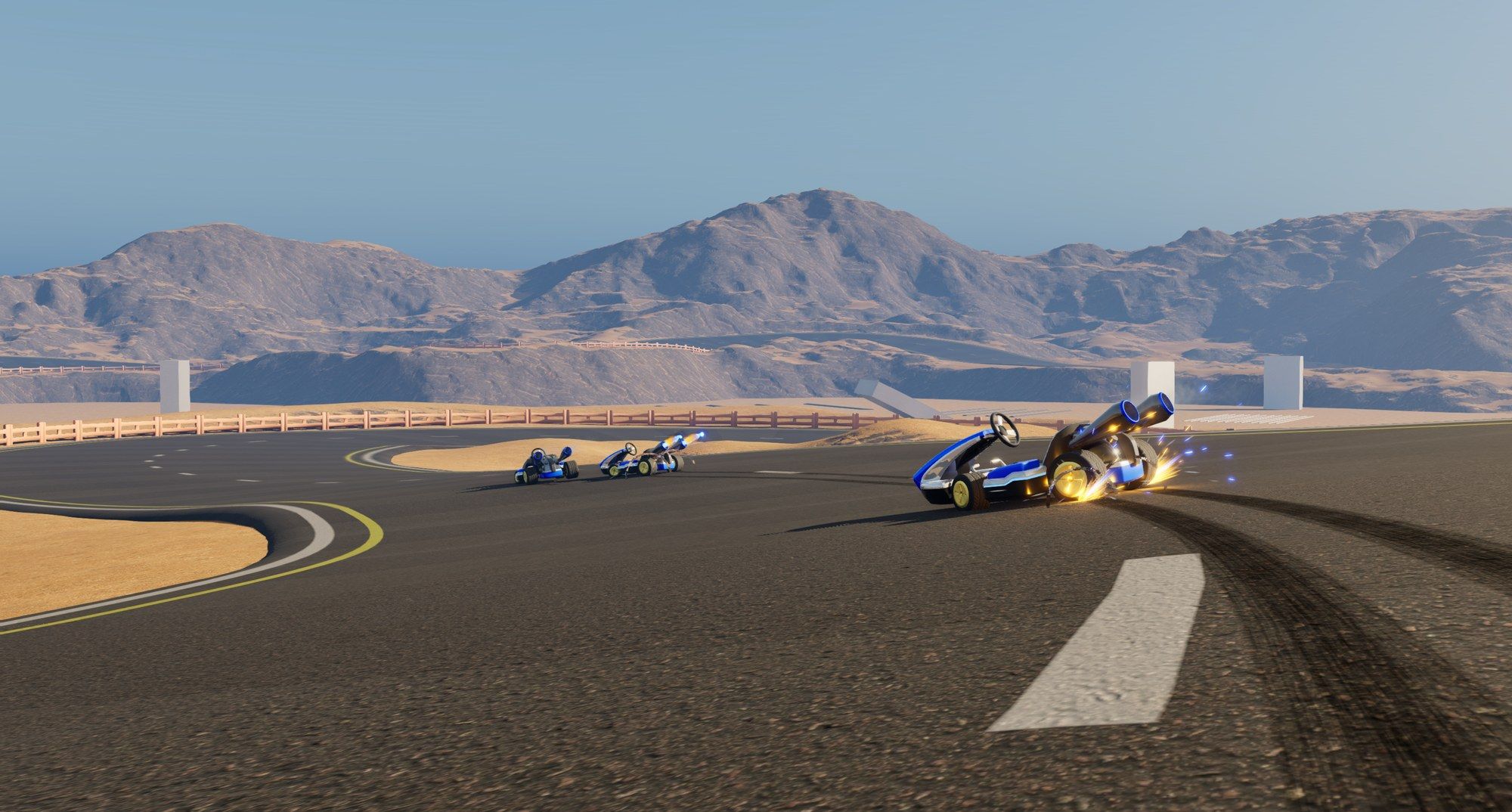
The Kart Skid Marks component leaves tire marks behind the rear wheels while the Kart drifts, brakes hard or slides. Old marks fade out and get reused, so the cost stays the same however long you play. Every machine draws the marks for every Kart, other players’ Karts included. A dedicated server draws none.
BP_KartPawn already has it, as the KartSkidMark component.
Add it to your own Kart
- Open your Kart Blueprint, click Add in the Components panel and pick Kart Skid Marks.
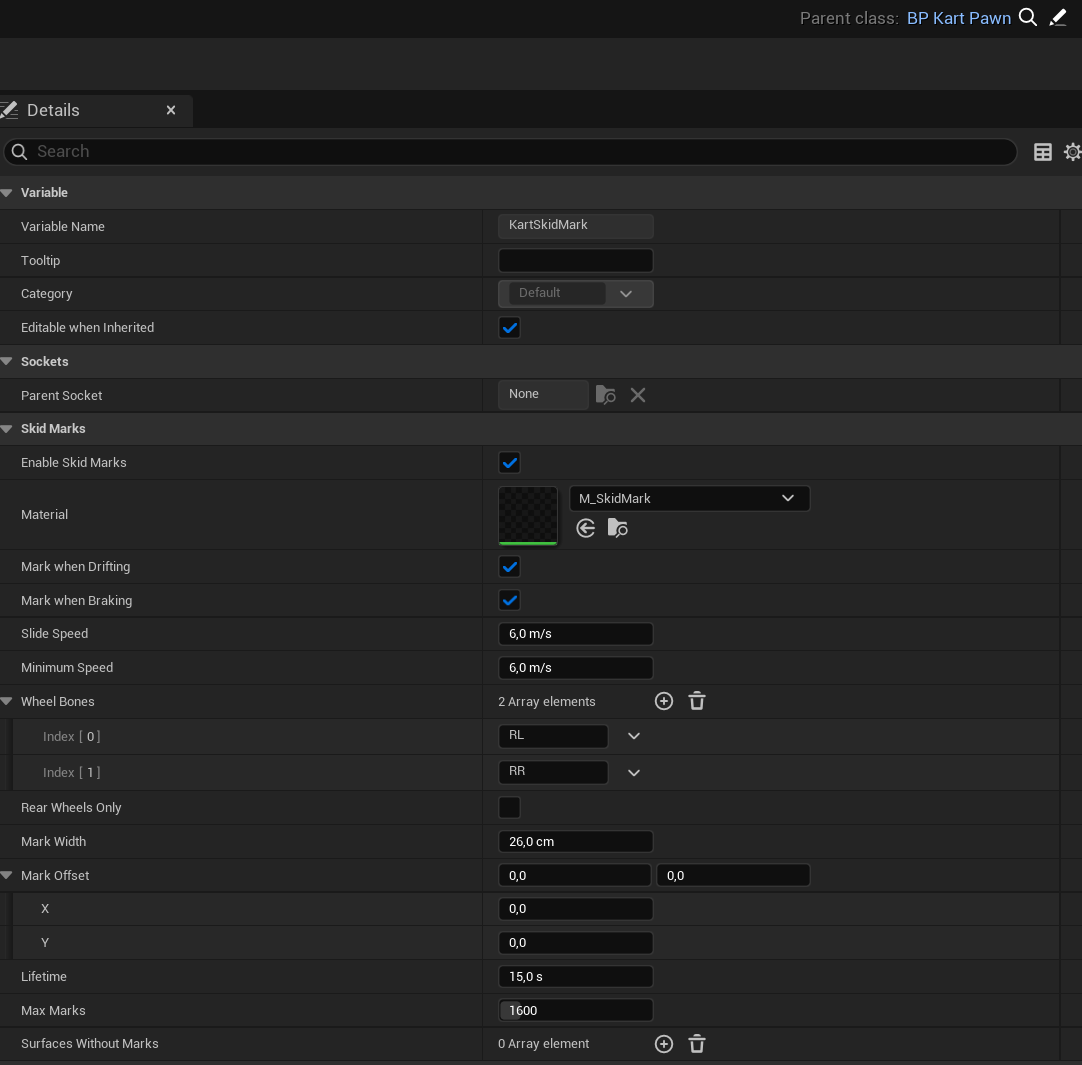
- Set Material to
M_SkidMark(inMaterials > Kart). Without a material, nothing is drawn. For your own look, duplicateM_SkidMarkand edit the copy: the material does the fading. - Set Wheel Bones to the rear wheel bones of your skeletal mesh. The default
RLandRRmatch the plugin’s kart.
If no bone is found, the marks start at the rear Suspension Locations. Use Mark Offset to move them under the visible tires (X forward, Y outward).
Settings worth knowing
All in the Skid Marks category of the component.
| Setting | What it does |
|---|---|
| Lifetime | Seconds until a mark has faded out. |
| Max Marks | How many marks this Kart keeps. When it runs out, the oldest are reused. Raise it if long drifts lose their start too early. |
| Surfaces Without Marks | Physical surface types that never get marks, such as grass or sand. |
Not using the plugin yet? Get it on Fab.