Sound
Kart sounds
New in 1.1
On this page
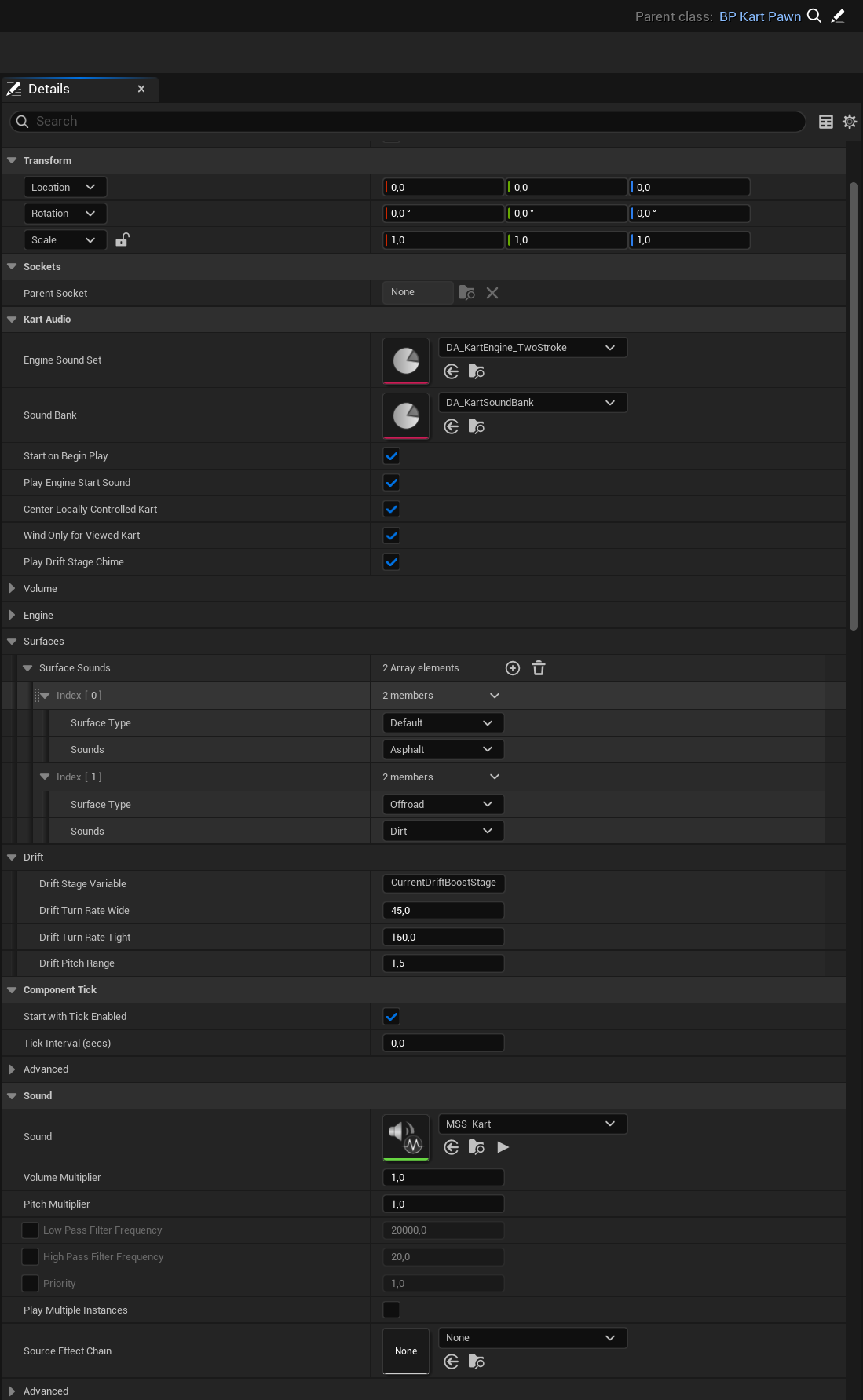
The Kart Audio component plays all of a Kart’s sounds: engine, wind, tires, drift, drift boost charge, boost, jumps, landings, wall and Kart hits. It reads everything from the Kart on its own each frame (speed, throttle, drift, boost, air, surface, hits), so you don’t wire anything in Blueprint. It also works for other players’ Karts and AI Karts in multiplayer. A dedicated server plays nothing.
BP_KartPawn already has it, as the KartAudio component. A child Blueprint of BP_KartPawn gets it too.
Add it to your own Kart
- Open your Kart Blueprint. Its parent class must be
KartPawnBase(the plugin’s Kart class), directly or through another Blueprint. - Click Add in the Components panel and pick Kart Audio.
- Compile. The MetaSound
MSS_Kart, the sound bank and the Two-Stroke engine are filled in for you.
The drift boost charge sound follows the CurrentDriftBoostStage variable of BP_KartPawn. If your Kart is not a child of BP_KartPawn, set Drift Stage Variable to your own integer variable, or call Set Drift Charge Stage.
Pick another engine
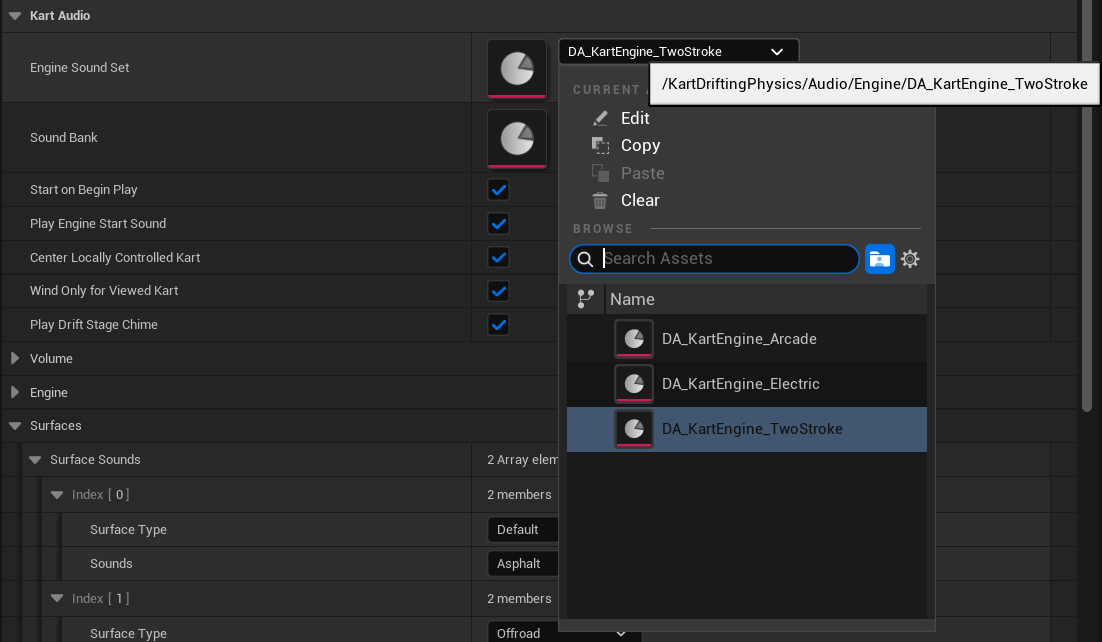
Set Engine Sound Set (category Kart Audio) to one of the three engines in Audio > Engine: DA_KartEngine_TwoStroke (the default), DA_KartEngine_Arcade or DA_KartEngine_Electric.
To switch it during play, call Set Engine Sound Set. To build your own engine, duplicate one of them and replace its sounds.
Replace single sounds
All non-engine sounds sit in named slots of DA_KartSoundBank (Wind, Tyres, Drift, Boost, Jump, Impact). Duplicate it, put your Sound Waves in the slots you want to change, and set the copy as Sound Bank on the component.
Volume
Volume Multiplier (category Sound) is the master volume for the whole Kart. Use the Set Volume Multiplier node to change it during play. Kart Audio > Volume has one level per group (engine, wind, tires, drift, boost, jump, impact) if you only want to change one.
Tire sounds on your surfaces
Tires play the asphalt sounds unless Surface Sounds says otherwise. Add a row per physical surface type and pick Dirt, Grass or Gravel. BP_KartPawn maps its Offroad surface to Dirt. See Surfaces and walls for surface types.
Not using the plugin yet? Get it on Fab.